Most couples start wedding planning with a number in mind and no idea how to split it. How much should go to the venue? Is the photographer budget realistic? What about the dozen smaller things nobody mentions until the invoices arrive? Here is a simple way to set your wedding budget and split it by category in about ten minutes, and a free calculator that does the math for you.
Step 1: Start from what you can actually pay
Your wedding budget isn't the most you could spend. It's what you can pay without debt by the time the bills are due. Add up three things:
- What you've saved already, including any deposits you've paid.
- What you can save between now and the wedding. Our wedding savings calculator shows the monthly amount for your date.
- Family contributions that are confirmed. If a gift is only "probably", leave it out and treat it as a bonus.
That total is your budget. Write it down and agree on it together before you tour a single venue, because every vendor conversation is easier when you already know your number.
Step 2: Pick a guest count before you pick anything else
Guest count drives the biggest parts of the budget: the venue you need, food and drinks for every guest, rentals, invitations, even favors. A rough number is enough to start. Divide your total by your guest count and you get your budget per guest, which is the quickest way to see whether the wedding in your head fits the money in your account.
Step 3: Rank your top three priorities
No wedding budget can make everything the best version. Sit down together and choose the three things that matter most: maybe photos, food and music, or the venue, flowers and a great band. Those categories get a bigger share, and the rest get a sensible, smaller one. It's the single most useful conversation you'll have about money.
Step 4: Split the total by category
This is where most people open a blank spreadsheet and stall. Our free wedding budget calculator does it for you: enter your total, guest count, area and up to three priorities, and it drafts a budget for every category you're likely to need, with a short reason for each amount.
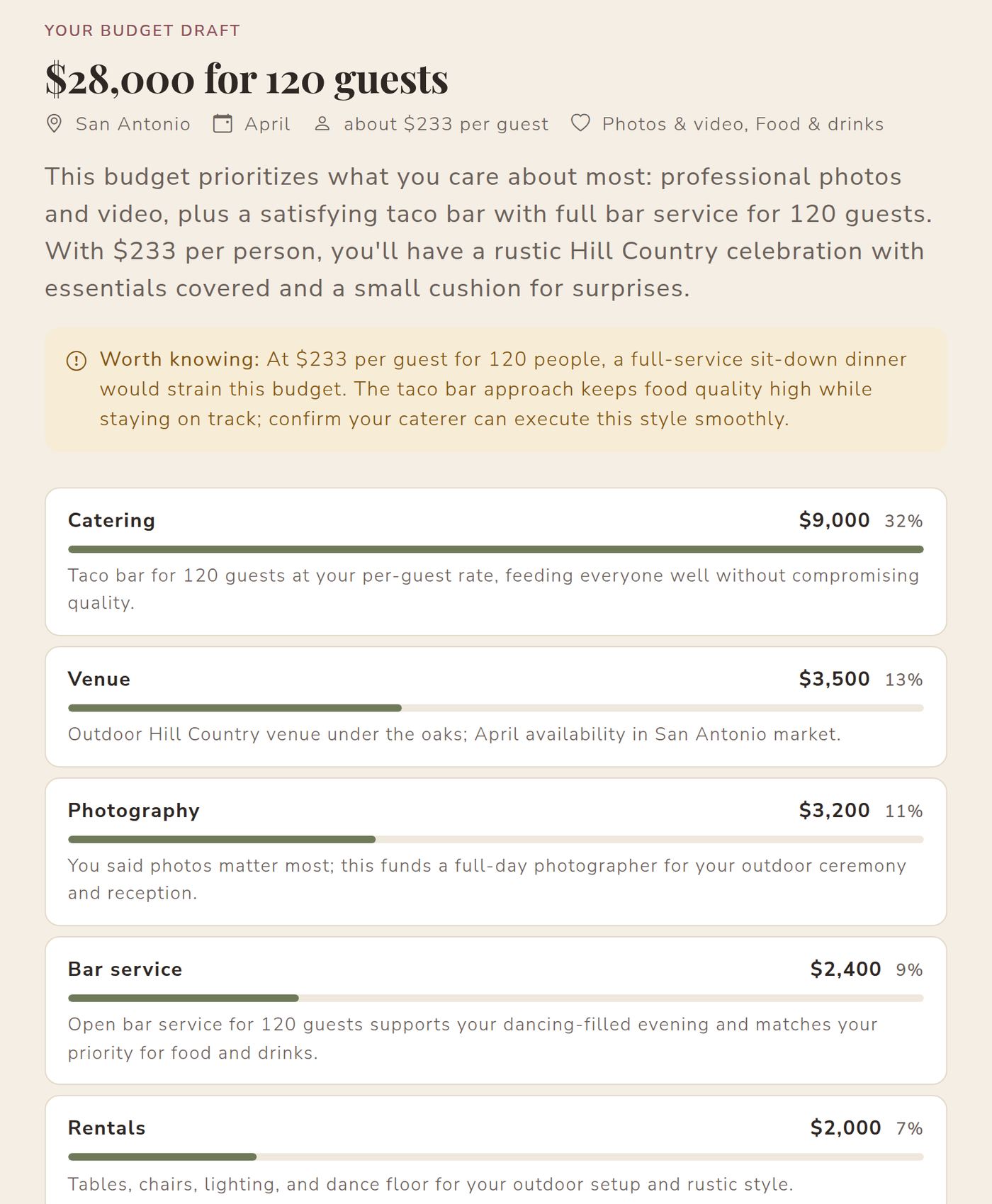
A few things the draft does that a generic percentage chart doesn't:
- It scales food and drink to your guest count, and tells you honestly if your budget is tight for your guest list, with tradeoffs to consider (a smaller list, a lunch reception, a taco bar instead of a plated dinner).
- It moves money toward your priorities and explains where it came from.
- It always keeps a buffer for surprises: service charges, delivery fees, overtime, the extra hour of photography you decide you want.
Want a starting point without the details? The calculator page also shows the standard split we use for a full-service wedding, as a table you can scan in seconds.
Step 5: Keep it in a spreadsheet you'll actually update
A wedding budget is only useful if it changes as you book. You can download your draft as a spreadsheet that opens in Excel or Google Sheets. It isn't just a list of numbers: there are columns for what you budgeted, the price you agree with each vendor, what you've paid and what's left, and a Payments tab that adds itself up. Record a deposit and the totals update.
Or skip the spreadsheet: save the draft to a free VowPair plan and each category gets its budget automatically. You'll see vendors whose prices fit each one, track agreed prices and payments, and can invite your partner or family to help. If you booked a vendor somewhere else, add it with its price and it counts too.
Tips for sticking to your wedding budget
- Compare full totals, not starting prices. Ask every vendor for the price with service charges, tax, travel and overtime included.
- Book the venue first. Its date, capacity and catering rules shape everything else.
- Record every payment the day you make it. Our guide to tracking vendor deposits and payments has a simple system.
- Don't spend the buffer early. Keep it until the final payments are made.
- Revisit the split after your first two bookings. If the venue came in under budget, move that money to a priority.
Plan your wedding budget in one place
The calculator, spreadsheet and budget tracker are all free for couples. Draft your wedding budget now, then save it to your plan when you're ready. For more on what weddings in our area include, see our Central Texas wedding budget breakdown.
Cover photo by Recha Oktaviani on Unsplash. Screenshots use sample data.