
There's no shortage of free wedding planning apps. Most offer a checklist and a wedding website, and many are run by companies whose real customers are the vendors advertising to you. So how do you choose? Instead of a ranking that will be out of date next month, here are seven things that actually matter when you pick a free wedding planning app, and how to test each one in a few minutes.
1. Does it plan around your budget?
A budget page where you type numbers into boxes is not the same as planning around your budget. Look for a tool that helps you split your total by category, shows your budget per guest, and keeps the whole picture in view as prices change. Test it: enter your real total and guest count. Do you get a usable starting budget, or an empty table?
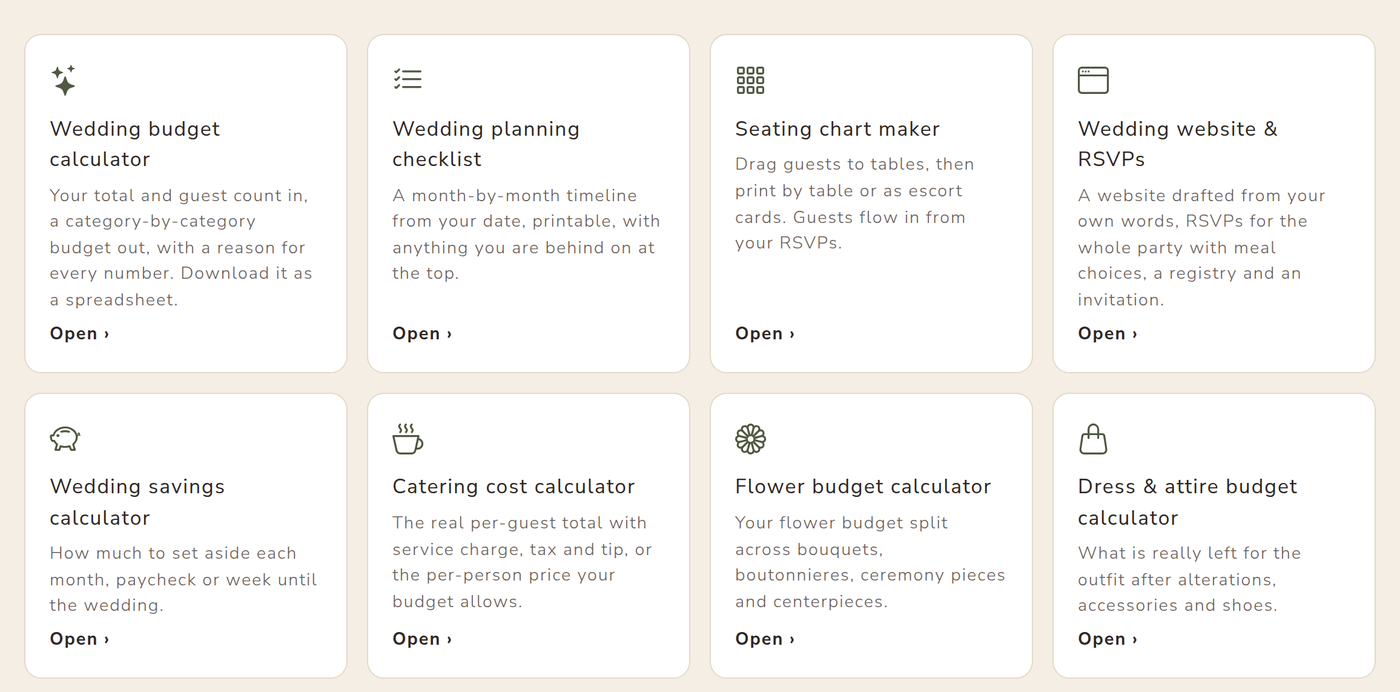
Our free wedding budget calculator drafts a category-by-category budget from your total, guest count and priorities, and you can download it as a spreadsheet.
2. Does it track what you've actually agreed and paid?
The number that matters isn't a vendor's starting price; it's the price in your contract and what you still owe. A good app lets you enter the agreed price, record each deposit and payment, and see "left to pay" at a glance, including for vendors you found outside the app.
3. Can your partner and family plan with you?
Hardly anyone plans alone. Check whether you can invite your partner, a parent or your maid of honor, and whether you can choose who can edit and who can only view. Also check what stays private: your messages with vendors, for example. (Here's how planning together works on VowPair.)
4. Do the tools talk to each other?
Many apps are a bundle of separate features. The time savings come when they're connected: RSVPs from your wedding website should flow into your guest list and seating chart, booking a vendor should tick off its checklist task, and your category budgets should be what vendors are matched against.
5. Is the checklist built from your date?
A generic twelve-month checklist is fine if you have twelve months. If you have six, you need one that knows what you've missed and what to do first. Test it with your real date. Our wedding planning checklist puts anything you're behind on at the top and prints cleanly.
6. How does it make money, and what does that mean for you?
Free apps are paid for somehow. That's not a problem, but it's worth knowing. Ask: will vendors I've never contacted get my phone number? Will my wedding website show ads for other couples' vendors? Can I control what vendors see about me? On VowPair, couples' contact details stay private until they choose to connect with a vendor, and vendors pay for optional plans, never for your personal information. Our privacy policy spells it out.
7. Can you take your data with you?
Your budget, payments and guest list should be yours. Look for exports: a budget spreadsheet, an RSVP list, a printable seating chart. If you can't get your data out in a format you can open, keep looking.
A five-minute test drive
Before you commit to any app, try this with your real details:
- Enter your total budget and guest count. Do you get a useful split?
- Add a vendor you've already booked, with its price and a deposit.
- Invite your partner as a helper.
- Open the checklist with your date.
- Look for the export buttons.
All of VowPair's free wedding planning tools work without an account, so you can test each one before deciding. When you're ready, a free plan keeps everything in one place, for you and everyone helping.
Cover photo by Vitaly Gariev on Unsplash. Screenshots use sample data.